> ## Documentation Index
> Fetch the complete documentation index at: https://docs.modular.com/llms.txt
> Use this file to discover all available pages before exploring further.
# Image generation
> Generate and transform images with the responses API
Generate images from text prompts or transform existing images with the
[responses API](/api/inference/create-response). The API returns
generated images as base64-encoded data.
For information about all request and response fields, see the
[responses API reference](/api/inference/create-response). For
available image generation models, see [Supported models](/models).
The responses API follows the provider-agnostic
[Open Responses](https://huggingface.co/blog/open-responses) specification.
## Generate an image
To generate an image, set `input` to a text description of the image and
set generation parameters in `provider_options.image`.
The following example generates an image from a text prompt and saves it as
`output-text-to-image.png`.
Send a prompt, decode the returned image data, and save the image:
```python title="generate-image.py" theme={null}
import base64
from pathlib import Path
from openai import OpenAI
client = OpenAI(
base_url="https://api.modular.com/v1",
api_key="", # Load your key
)
response = client.responses.create(
model="black-forest-labs/FLUX.2-dev",
input="A serene mountain landscape at sunset",
extra_body={
"provider_options": {
"image": {
"height": 512,
"width": 512,
"steps": 28,
}
}
},
)
image_data = response.output[0].content[0].image_data
Path("output-text-to-image.png").write_bytes(base64.b64decode(image_data))
```
This example runs on Linux and requires `jq`. Send a prompt and decode the
returned image data:
```bash theme={null}
curl -X POST https://api.modular.com/v1/responses \
-H "Authorization: Bearer " \
-H "Content-Type: application/json" \
-d '{
"model": "black-forest-labs/FLUX.2-dev",
"input": "A serene mountain landscape at sunset",
"provider_options": {
"image": {
"height": 512,
"width": 512,
"steps": 28
}
}
}' \
| jq -r '.output[0].content[0].image_data' \
| base64 -d > output-text-to-image.png
```
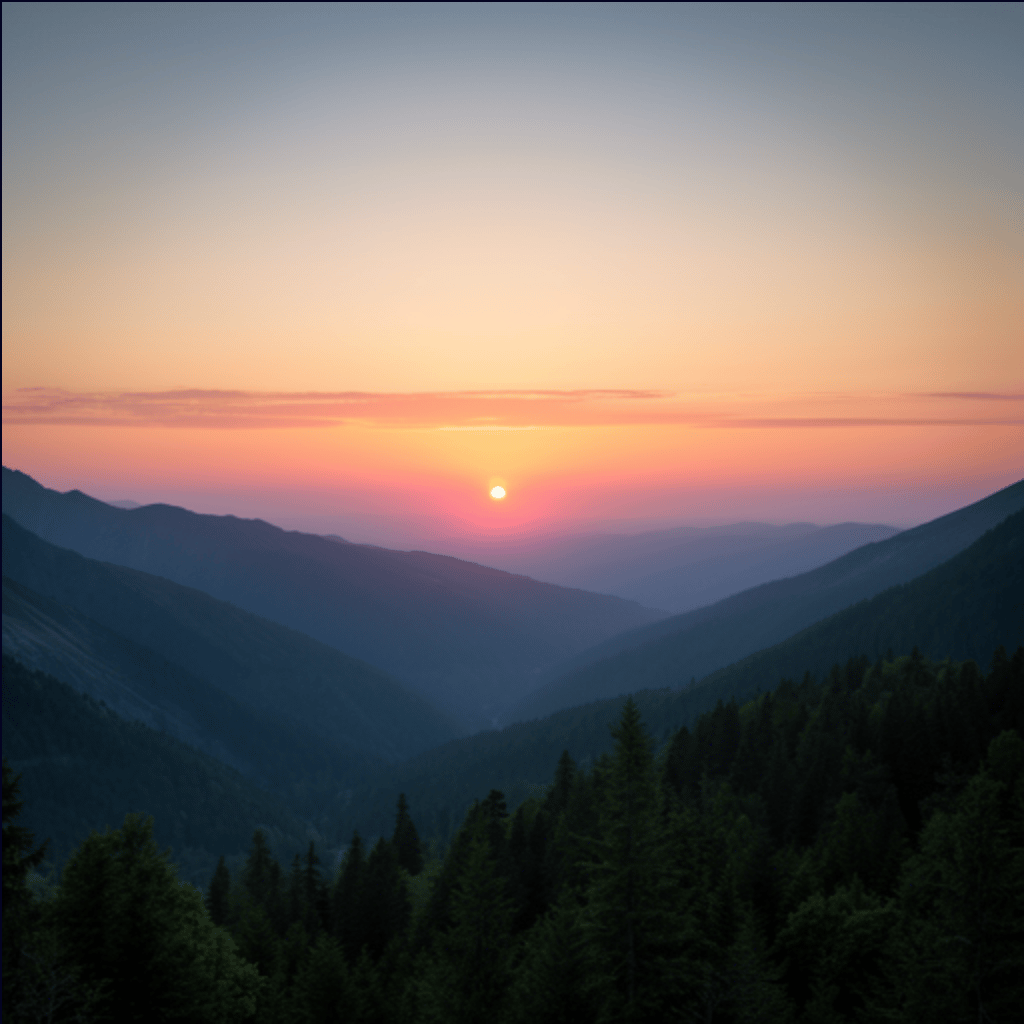
The generated image should look similar to the following:
 ## Transform an image
To transform an image, set `input` to a user message containing:
* An `input_image` block with an image URL or base64-encoded data URI.
* An `input_text` block describing the transformation.
The following example reads a local image named `input.png`, encodes it as a
data URI, and saves the transformed image.
Encode the input image, send it with a prompt, and save the transformed image:
```python title="transform-image.py" theme={null}
import base64
from pathlib import Path
from openai import OpenAI
client = OpenAI(
base_url="https://api.modular.com/v1",
api_key="", # Load your key
)
input_data = base64.b64encode(Path("input.png").read_bytes()).decode("utf-8")
response = client.responses.create(
model="black-forest-labs/FLUX.2-dev",
input=[
{
"role": "user",
"content": [
{
"type": "input_image",
"image_url": f"data:image/png;base64,{input_data}",
},
{
"type": "input_text",
"text": "Transform this image into a watercolor painting.",
},
],
}
],
extra_body={
"provider_options": {
"image": {
"height": 512,
"width": 512,
"steps": 28,
}
}
},
)
image_data = response.output[0].content[0].image_data
Path("output-image-to-image.png").write_bytes(base64.b64decode(image_data))
```
This example runs on Linux and requires `jq`. Encode the input image and write
the request body to a file:
```bash theme={null}
IMAGE_DATA=$(base64 -w 0 input.png)
cat > request.json <" \
-H "Content-Type: application/json" \
--data-binary @request.json \
| jq -r '.output[0].content[0].image_data' \
| base64 -d > output-image-to-image.png
```
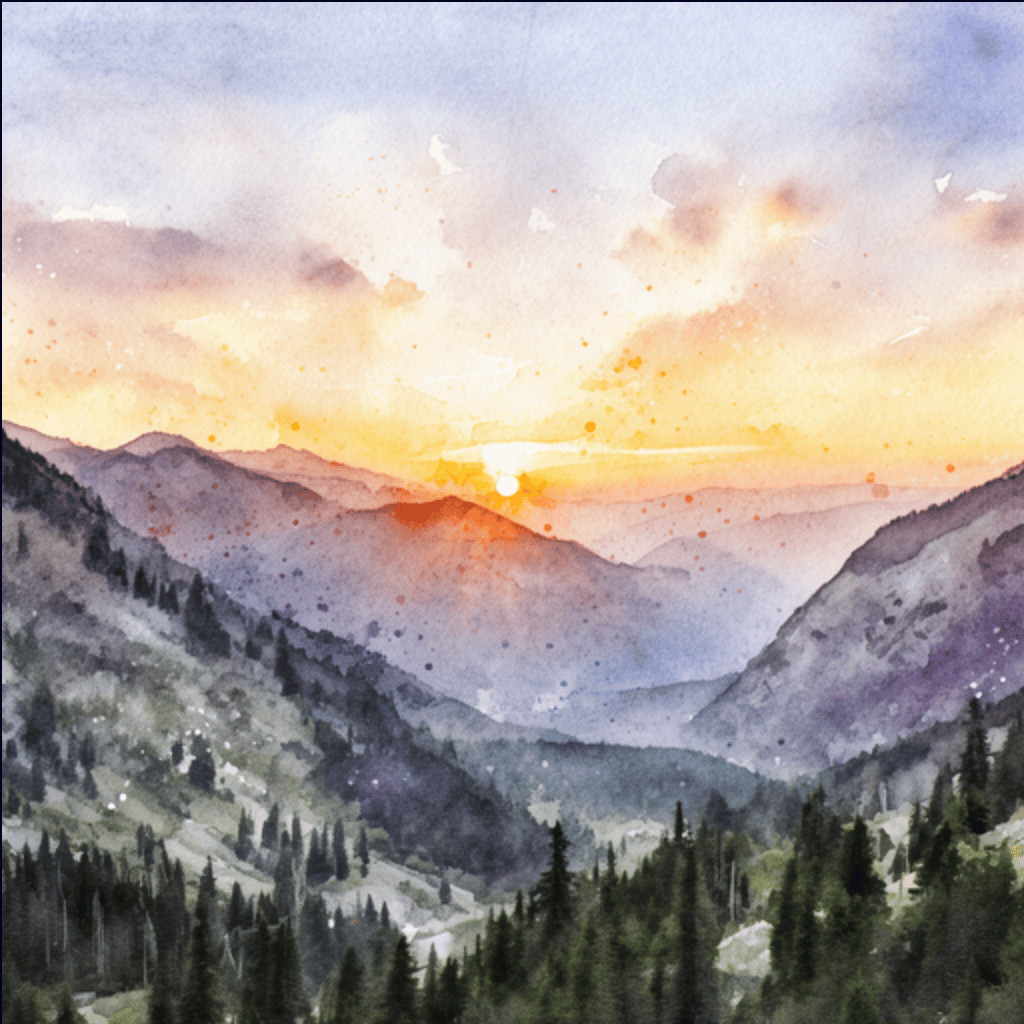
The transformed image should look similar to the following:
## Transform an image
To transform an image, set `input` to a user message containing:
* An `input_image` block with an image URL or base64-encoded data URI.
* An `input_text` block describing the transformation.
The following example reads a local image named `input.png`, encodes it as a
data URI, and saves the transformed image.
Encode the input image, send it with a prompt, and save the transformed image:
```python title="transform-image.py" theme={null}
import base64
from pathlib import Path
from openai import OpenAI
client = OpenAI(
base_url="https://api.modular.com/v1",
api_key="", # Load your key
)
input_data = base64.b64encode(Path("input.png").read_bytes()).decode("utf-8")
response = client.responses.create(
model="black-forest-labs/FLUX.2-dev",
input=[
{
"role": "user",
"content": [
{
"type": "input_image",
"image_url": f"data:image/png;base64,{input_data}",
},
{
"type": "input_text",
"text": "Transform this image into a watercolor painting.",
},
],
}
],
extra_body={
"provider_options": {
"image": {
"height": 512,
"width": 512,
"steps": 28,
}
}
},
)
image_data = response.output[0].content[0].image_data
Path("output-image-to-image.png").write_bytes(base64.b64decode(image_data))
```
This example runs on Linux and requires `jq`. Encode the input image and write
the request body to a file:
```bash theme={null}
IMAGE_DATA=$(base64 -w 0 input.png)
cat > request.json <" \
-H "Content-Type: application/json" \
--data-binary @request.json \
| jq -r '.output[0].content[0].image_data' \
| base64 -d > output-image-to-image.png
```
The transformed image should look similar to the following: